Drum practice plans for your week
Put exercises and grooves in order, give each one a tempo and a duration, and practice them one after another.
A practice plan is your routine, written down once. GrooveDojo plays it step by step in Practice Mode and remembers what you played. It’s free, and your plans are saved in your browser.
- New plan In Practice Plans, start a plan and give it a name.
- Add steps Exercises, your grooves or trainer setups, each with a tempo and a duration.
- Pick days If you like. On those days the Dashboard shows the plan.
- Practice Start it, and play one step after another.
What a plan holds
A plan is a list of steps, each with its own tempo and duration. A step can be:
- An exercise from the built-in exercises, or its Build-up.
- One of your own grooves, written in the groove editor or imported.
- An Independence Trainer setup: its ostinato, its exercises and its feel (the Independence Trainer).
You can rest between steps, and give the plan a short description so you remember what it’s for.
Building a plan
In Practice Plans, choose New plan, then Add a step, and pick from the exercises, My grooves or the Independence Trainer. Drag the steps into the order you want.
You can also add things as you come across them. Add to plan… on an exercise, the Independence Trainer, a groove in the Library or a session’s review puts it in one of your plans, or starts a new plan with it.
GrooveDojo comes with a Warm-up plan, a sample of three short exercises. Change it, practice it or delete it.
Your week
Give a plan days of the week, as many as you like, and a day can hold more than one plan. On those days the Dashboard shows Today’s plan with a Start plan button, so you can begin without looking for anything. A plan with no days is still there whenever you want it, and Practice Mode’s setup lists your plans too.
There are no reminders and no missed days. The schedule only says what you meant to play.
Following a plan
Start plan on the Dashboard, or Practice now on the plan’s page, opens Practice Mode at the first step, at its tempo. A strip above the notation shows the step you’re on, what’s next, and the time or loops left. Each step ends by itself when its time or its loops are up, and Repeat step, Skip step and End plan change course whenever you like. With an electronic kit, you see your timing as you play. Without one, you play along (timing feedback).
When the last step is done, the session’s review shows what you played.
What’s kept
Every time you practice a plan, GrooveDojo keeps which steps you finished, skipped or played only part of, and for how long. A plan’s page lists its latest sessions, and all of them are in your practice history. There’s no score and no streak to keep up.
Plans and their sessions are saved in your browser, on this device, like the rest of your library, so back it up now and then (keeping your library safe).
Sharing and printing a plan
Share… on a plan gives you three ways to pass it on:
- A link. Copy link puts the whole plan inside the link, with every groove it uses. Your practice history and your schedule aren’t shared. A plan too long for a link can go as a file.
- A plan file to keep or to send, which opens in GrooveDojo.
- A printed sheet: each step with its notation, tempo and duration, and if you like, the plan’s description, a practice log for the date and the tempo you played each step at, and a QR code that opens the plan on a phone or a tablet. Save it as a PDF from the print dialog.
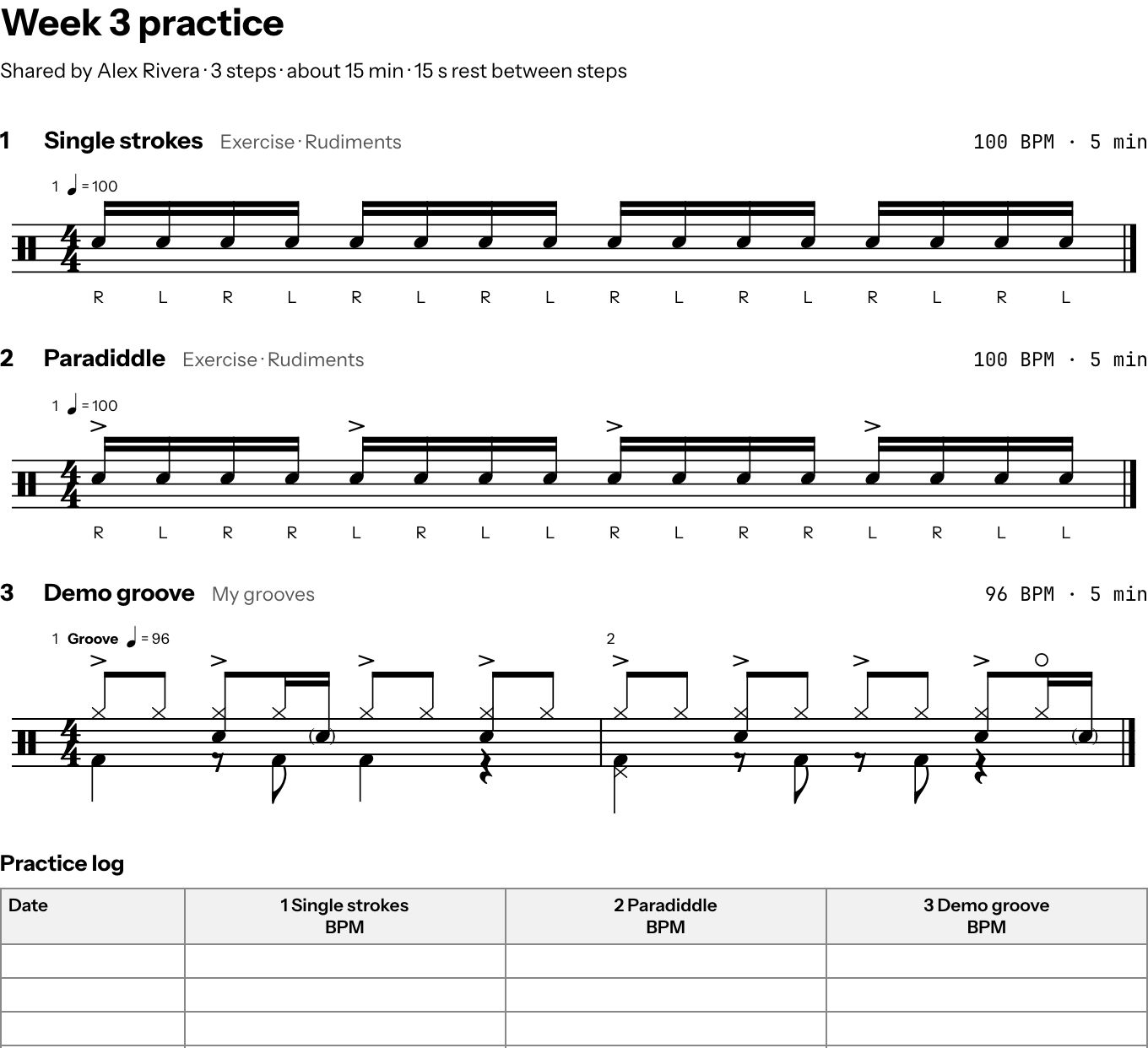
Whoever opens the link sees the plan first, and nothing is saved until they choose Save to My Plans. Their copy is their own to change, its grooves go into a folder of their own, and it comes without days or anyone’s practice history. Changes you make later don’t reach their copy.
For drum teachers
A plan is a good way to hand a student a week of practice. For drum teachers shows how, from writing the exercises to what your students see.